
How to Track Running Shoe Mileage: 3 Simple Ways
How to track running shoe mileage on Apple Watch, Strava or Garmin, how long every shoe type lasts and the signs it is time to replace a pair.
By Maciej KrólikowskiPublished 10 min read
To track running shoe mileage you need three things. A starting number for every pair. A place where each run gets added to the right pair. And a distance at which you retire the shoe. That is the whole system. Everything below is about picking the version of it you will actually keep up with.
Most runners skip it because the manual version is tedious. You finish a run, you are tired, and telling an app which shoes you wore is the last thing on your mind. Two weeks later the log has holes in it and you stop trusting the number.
So this guide starts with the methods that need no effort after the run, then covers what the running apps can do. It ends with the part nobody writes about: the shoes you have already been running in for months.
Why track your running shoe mileage?
Midsole foam does not fail on a particular day. It gets gradually flatter and firmer, and because the change is slow, you adapt to it without noticing. The usual sign is indirect: your legs feel heavier on easy runs, or a niggle shows up that was not there in the spring.
The loss is measurable. A 1985 study in the American Journal of Sports Medicine put running shoes in a machine that simulated repeated heel strikes and measured them at set distances. Those shoes kept about 75% of their original shock absorption after 50 miles and roughly 67% after 100 to 150 miles. Shoes worn by volunteer runners in normal training held up better, retaining around 70% at 500 miles, so the machine is harsher than a training block. Today's foams are different too, but the shape of the curve has not changed: most of the cushioning goes early, and quietly.
A mileage number turns that guesswork into a decision. You know this pair is at 420 miles (680 km) and that the model is usually done around 500 miles (800 km). So you can plan the replacement before the shoe is flat, rather than after.
There is a second payoff if you run in more than one pair. A 22-week study of 264 recreational runners was published in the Scandinavian Journal of Medicine & Science in Sports. Runners who used more than one pair in parallel had a lower injury risk: hazard ratio 0.614, 95% CI 0.389–0.969, or roughly a 39% reduction. But rotating shoes only works if you know which pair is getting the miles. Without tracking, one pair quietly absorbs most of your running and the "rotation" exists only in your head.
What mileage should you set for each pair?
Whichever method you pick, it will ask you for a retirement distance, and that is the number most people get wrong. The default everyone reaches for is 300 to 500 miles (500 to 800 km). For a daily trainer that is about right; for everything else it is not. A carbon race shoe loses its bounce far earlier, and a trail shoe on soft ground can outlive both.
Start from the type of shoe. These are the base ranges our running shoe lifespan calculator uses:
| Shoe type | Expected lifespan |
|---|---|
| Daily trainer | 370–500 miles (600–800 km) |
| Tempo shoe | 250–370 miles (400–600 km) |
| Carbon race shoe | 120–250 miles (200–400 km) |
| Trail shoe | 310–430 miles (500–700 km) |
Two things adjust that range for your pair. Body weight moves it by 10 to 20%: under 65 kg adds about 10%, 80 to 95 kg takes off about 10%, and above 95 kg takes off about 20%. Surface matters too. Running mostly on asphalt costs around 10%, mixed surfaces are the baseline, and soft trail is slightly kinder to the midsole, even if it is harder on the outsole.
Put together, a 60 kg runner on trails and a 100 kg runner on city pavement can be close to 200 miles apart in the same model. Set the number for your own weight and surface rather than copying the default.
Three ways to track shoe mileage
Every method is a trade between effort and accuracy. Pick the one you will still be doing in three months.
| Method | Effort per run | Multiple pairs | Accuracy |
|---|---|---|---|
| Automatic from your workouts | None, once a default pair is set | Yes | High |
| Manual inside a running app | A tap per run | Yes | High, if you never forget |
| Notebook or spreadsheet | A minute per run | Painful | Drops off quickly |
The automatic option is the only one that survives a busy month, which is why it is worth setting up even if it takes ten minutes today.
How to track shoe mileage on iPhone with Apple Health
If you run with an Apple Watch or any app that writes workouts to Apple Health, the mileage can be added for you. Every run already lands in Health with its distance; all that is missing is the link between a workout and a pair of shoes.
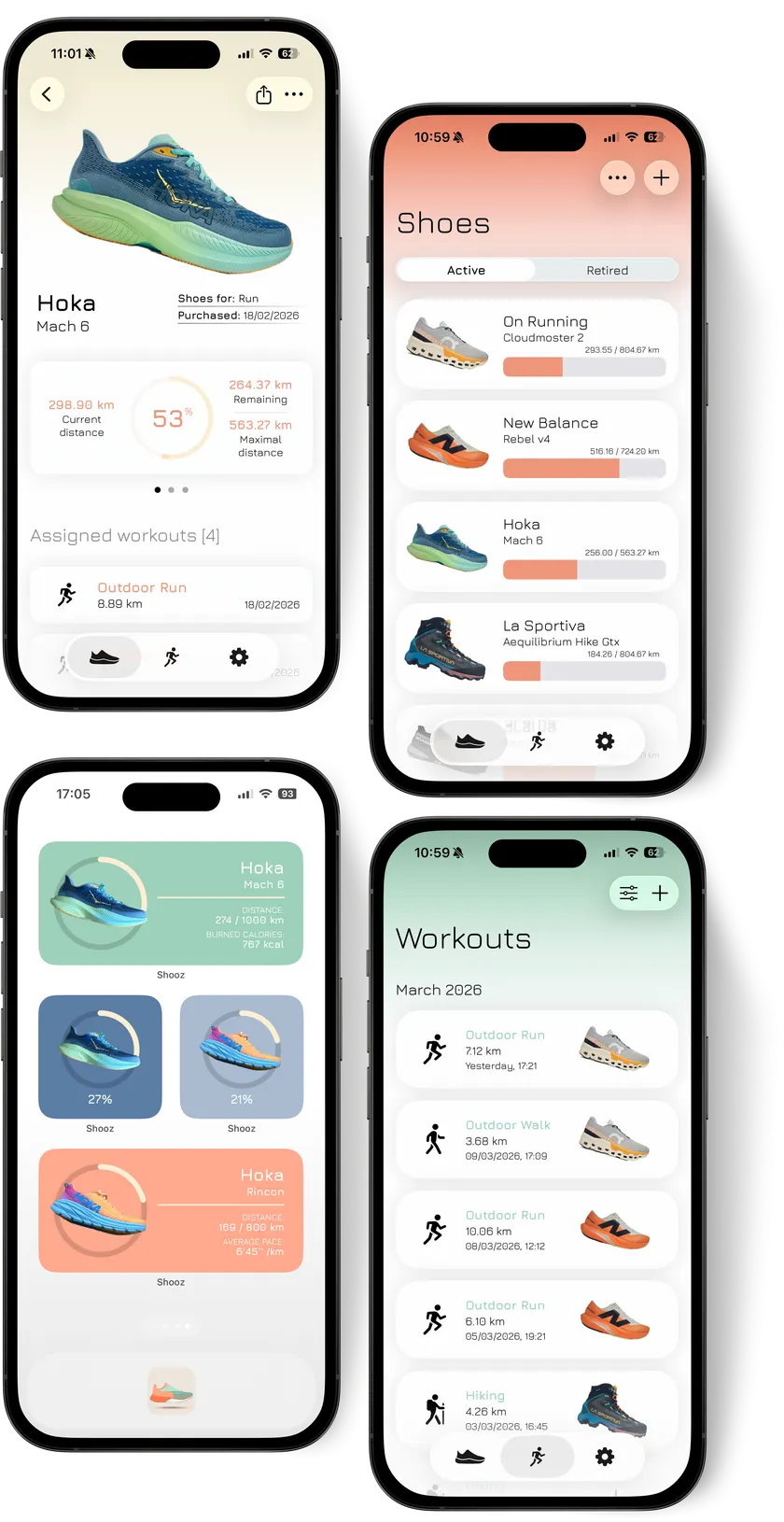
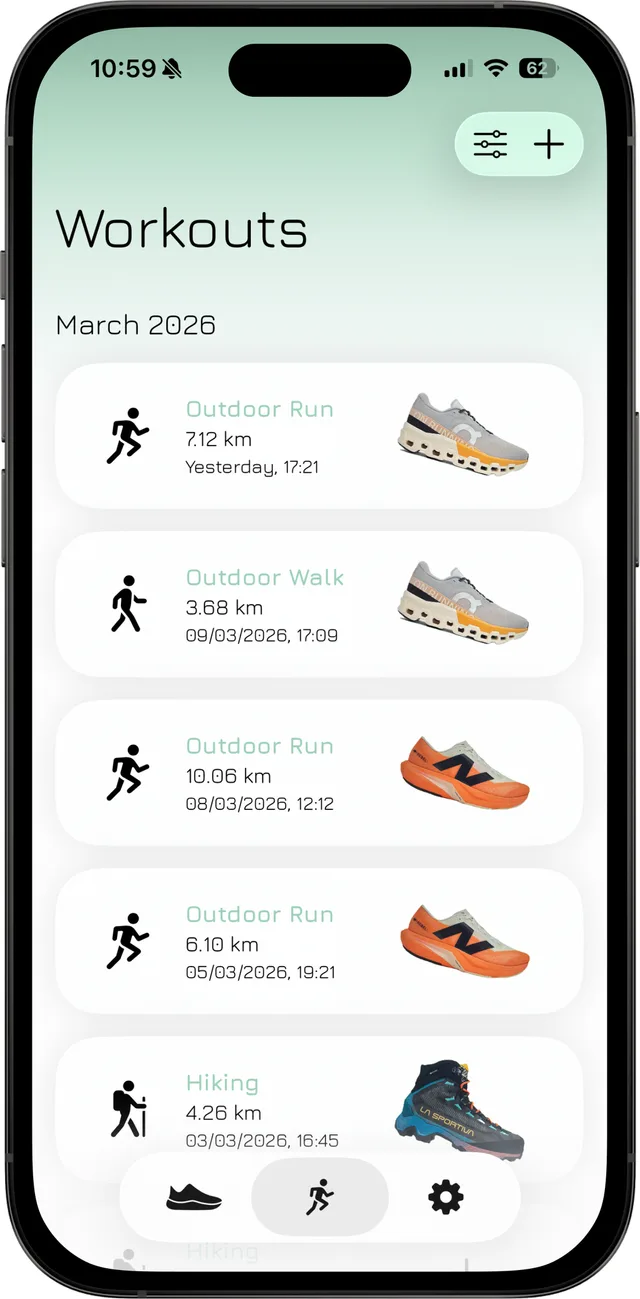
That is what SHOOZ, an iPhone app, does. Once a pair is set up, new workouts are pulled from Apple Health and their distance is added to the shoe you assign. The count keeps going whether you recorded the run on your watch, in Nike Run Club or anywhere else that syncs with Health.
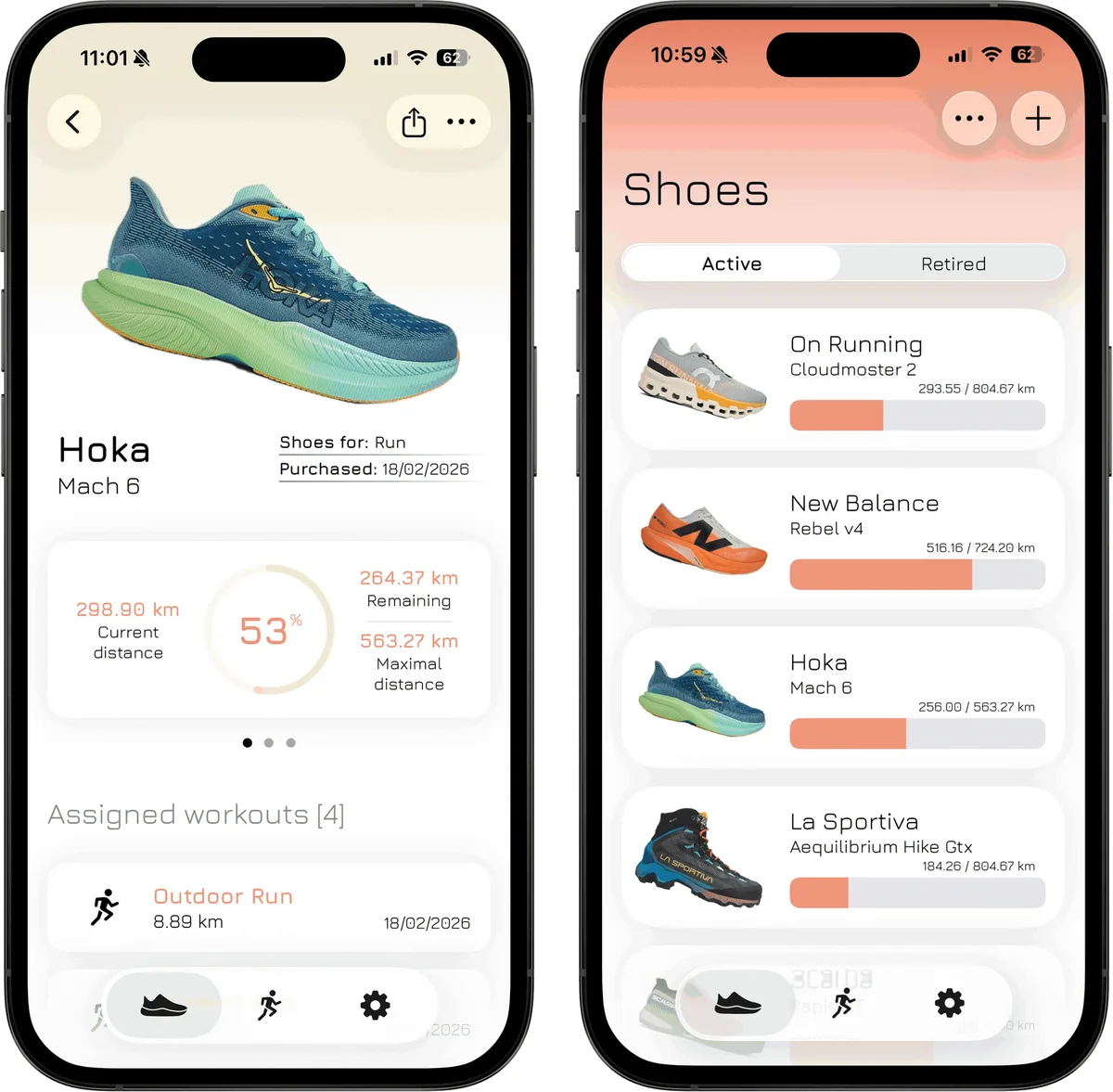
The setup takes a few minutes:
- Add each pair you run in, including the ones already in use.
- Give every pair a starting mileage. If you have no idea, there is a method for that in the next section.
- Set the distance at which you want to retire the pair, using the table above as a starting point.
- Allow the app to read workouts from Apple Health.
- Choose a default pair for each type of workout, for example your daily trainer for runs. New workouts of that type are then added to it automatically. You can also assign a workout to a different pair by hand, which is handy for race days or the odd run in your spare pair.
What you get afterwards is a percentage rather than a spreadsheet: how much life is left in each pair, and how many miles until the replacement. The same approach covers walking and hiking shoes, which most running apps ignore entirely.
How to track shoe mileage in Strava, Garmin and other running apps
Most run-tracking apps can do a basic version of this. Strava has a gear section where you add shoes and pick the pair after each activity, with a default pair to reduce the tapping. Garmin Connect has the same idea under Gear, with an alert when a pair reaches the distance you set. Runkeeper, COROS and Nike Run Club all offer some variant.
They share two limits. The mileage lives inside that one app, so if you record a run on a different watch or phone app, it never reaches your shoes. And the assignment is manual, so the log is only as good as your memory on a Tuesday evening. If you run with a single app and never forget, it works fine.
How to track shoe mileage in a spreadsheet
The oldest method still works, and it needs nothing but a sheet you already have. Make one row per run with four columns: date, shoe, distance and running total for that pair. A SUMIF over the shoe column gives you the current mileage of every pair, and a second small table with each pair's retirement distance shows how much is left.
A notebook by the door does the same job, as long as you add up the numbers every few weeks.
The weakness is the one from the table above. Every run has to be typed in by hand, so a missed week leaves a gap you can only fill by going back through your watch or phone. If you enjoy the ritual, it is the most flexible option. If you do not, it is usually the first method to be abandoned.
What about shoes you have already run in?
This is where most people give up, because the first thing any tracker asks for is a number nobody has. An estimate is fine, as long as it is not wildly optimistic. Take the number of weeks you have owned the pair, multiply by your typical weekly distance, and cut it by how often you wore a different pair.
I run in three pairs at a time: a daily trainer for easy miles, a lighter shoe for workouts, and a race pair I barely touch outside races. When I started logging them I had to guess all three starting numbers, and I got every one wrong. The daily trainer was the worst. I only realised later that it had carried practically my whole winter while the other two sat in the hallway. When I went back through the workouts in my fitness app, it was clear I had underestimated its starting distance by a wide margin. That is the pair I now replace first, every time.
Six months of running at 20 miles (32 km) a week is roughly 500 miles (800 km). If that pair got about half your runs, call it 250 miles (400 km) and start there. Round up rather than down; the mistake that costs you is running 100 miles longer than you think, not 100 miles shorter.
If you genuinely cannot guess, you can start the count at zero and rely on feel for that pair only, while every pair you buy from now on gets tracked properly from its first run.
When the number is not the whole story
A tracker tells you when to start paying attention, not when to throw the shoe out. Before you retire a pair, check it:
- The outsole is smooth where you land, with the foam showing through in places.
- The midsole feels dead or noticeably firmer than a newer pair of the same model.
- Familiar aches return on easy runs and go away when you wear a different pair.
The last one is the most useful test, and it only works if you have something to compare against. Keeping a newer pair in the rotation gives you that reference, and the difference between the two tells you more than any single number.
Frequently asked questions
Do treadmill miles count the same as road miles?
Count them the same. The belt is softer than asphalt, so the midsole may last slightly longer, but the difference is smaller than the difference between two runners' weights.
Does rotating shoes make them last longer?
Each pair lasts longer in calendar terms, simply because it covers fewer miles per week. The better documented benefit is the one above. In the 2015 study, runners who used several pairs in parallel had a lower injury risk. The authors put that down to varying the load on the body, not to the shoes themselves lasting longer.
Should I track walking shoes too?
If the same pair does your commute and your easy runs, yes, because those miles are real. This is the main gap in running-only apps, which count runs and quietly ignore everything else.
Do carbon race shoes really wear out that fast?
They lose their bounce faster than they fall apart. The foam and plate in a race shoe are tuned for energy return, not durability. Treat 120 to 250 miles (200 to 400 km) as the useful racing window, even though the shoe stays wearable for longer.
So what should you actually do?
Pick one method today and give every pair a starting number, even a rough one. A tracker with three approximate pairs in it beats a perfect system you set up next month.
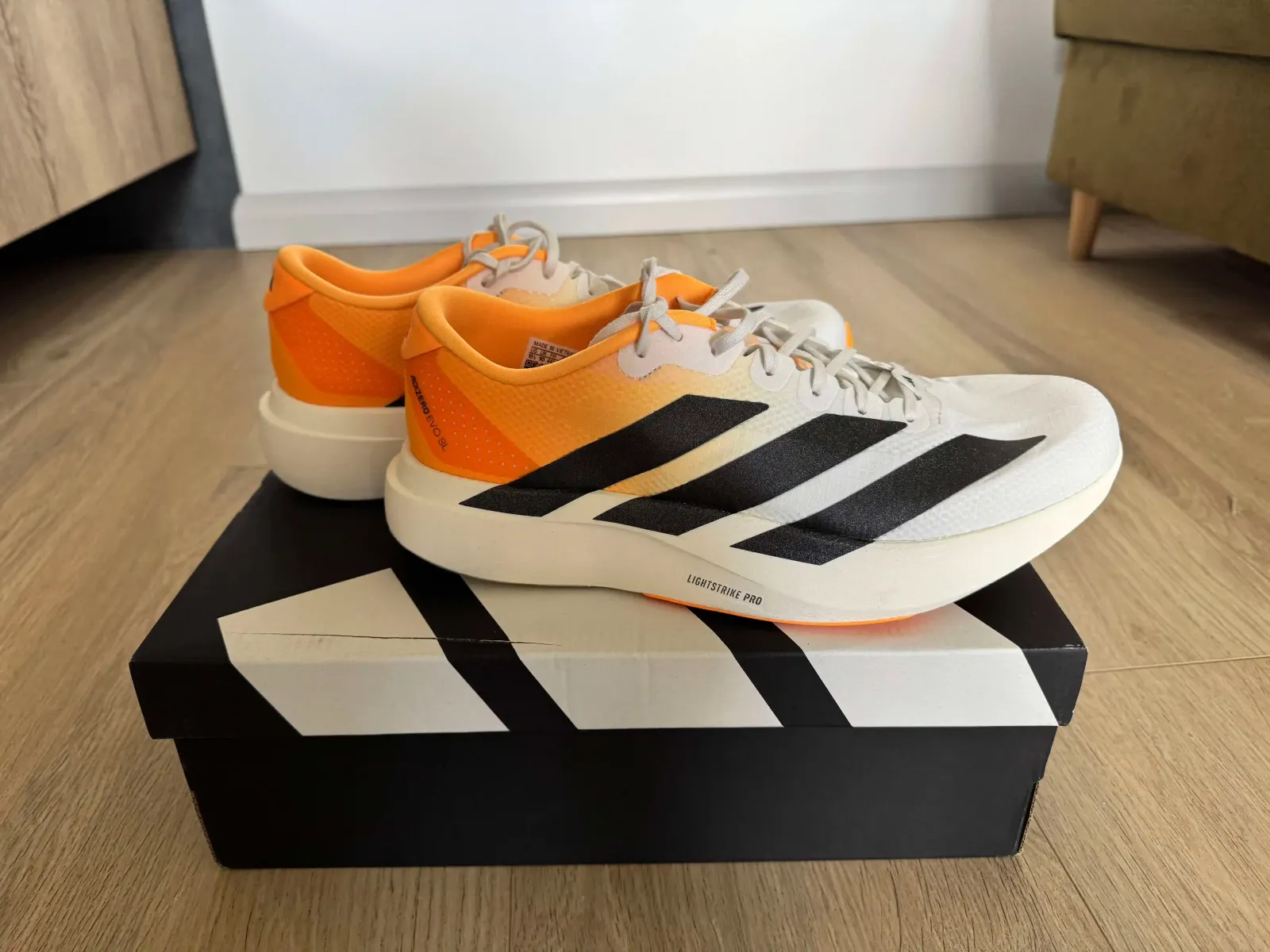
If your runs already end up in Apple Health, the automatic route is worth the ten minutes, because it is the only version that keeps working when you stop thinking about it. To see what your own pairs should last, run your numbers through the shoe lifespan calculator. And to see these figures used in practice, our Adidas Adizero EVO SL Woven review reports mileage from real tracked runs.
Sources
- Cook SD, Kester MA, Brunet ME. Shock absorption characteristics of running shoes. The American Journal of Sports Medicine, 1985;13(4):248–253.
- Malisoux L, Ramesh J, Mann R, Seil R, Urhausen A, Theisen D. Can parallel use of different running shoes decrease running-related injury risk? Scandinavian Journal of Medicine & Science in Sports, 2015;25(1):110–115.
The lifespan ranges in this guide come from the SHOOZ running shoe lifespan calculator and from pairs we track ourselves, not from the studies above.
SHOOZ · Running shoe tracker
Know exactly when to replace your running shoes
SHOOZ adds every run to the pair you wore and shows how much life it has left, so worn-out cushioning never catches you by surprise.
- + Mileage updates automatically from Apple Health
- + Remaining lifespan for every pair at a glance
- + Pace, time and stats for each shoe
- + Home Screen widgets and iCloud sync